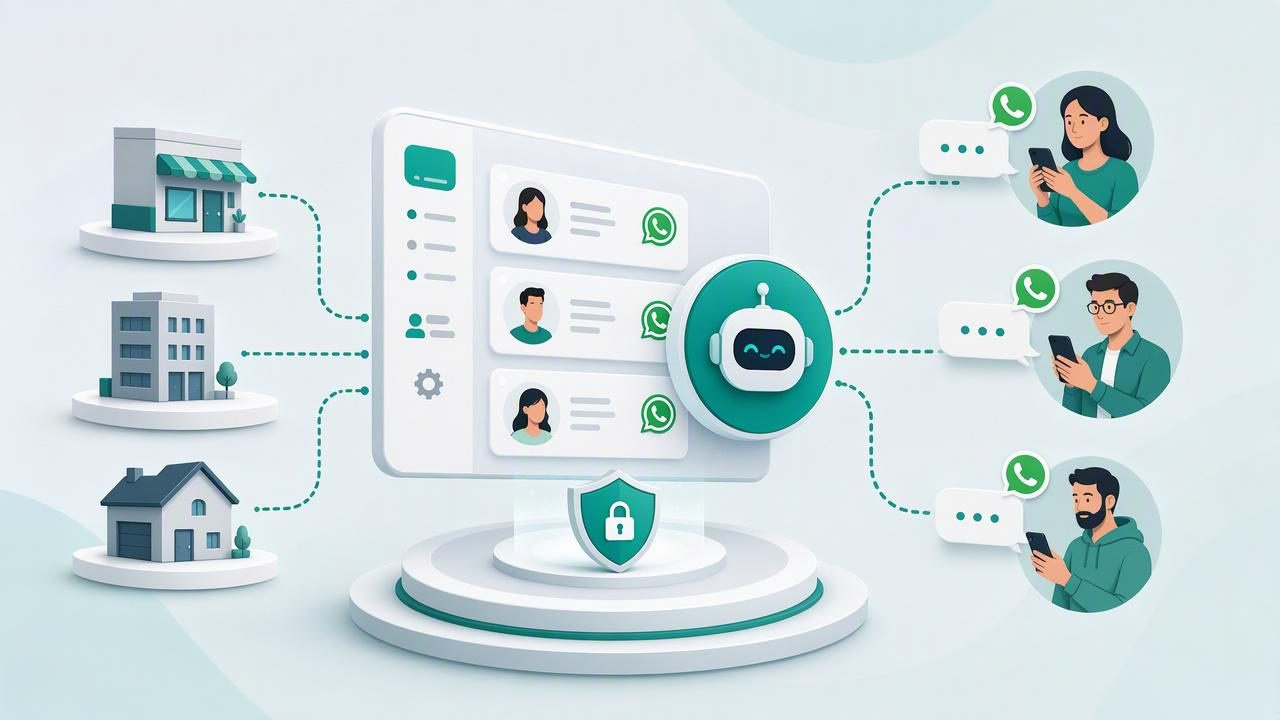
For agencies, deploying one WhatsApp AI agent is relatively straightforward. The real operational challenge begins when the agency needs to launch, monitor, improve, and secure agents for ten, fifty, or hundreds of clients without mixing conversations, data, prompts, or access permissions.
That is why agencies increasingly need the best multi-client AI workspace to deploy a WhatsApp agent for a client. A purpose-built workspace does more than host a chatbot. It creates a repeatable operating model for delivering branded AI services, managing client knowledge, routing conversations to humans, and protecting each client environment.
This guide explains what a multi-client AI workspace should include, how it differs from a single-agent tool, and how to evaluate platforms before committing to a deployment strategy.
What Is a Multi-Client AI Workspace?
A multi-client AI workspace is a platform that lets an agency manage separate AI agent environments for multiple customers from one administrative system. Each client should have a distinct workspace, including its own WhatsApp agent configuration, knowledge base, team access, conversation history, and branding settings.
The most important principle is tenant isolation. Client A should never be able to access Client B's documents, customer conversations, analytics, prompts, or user permissions. This separation is essential for professional delivery, client trust, and data protection.
In a well-designed setup, an agency team can oversee all client accounts while each client sees only the information relevant to its own business. That structure makes it possible to standardize services internally without forcing every customer into the same public-facing experience.
Why Single-Agent Tools Break Down for Agencies
Many AI chat tools are designed for individual businesses, not agencies. They may work well for a single support inbox or lead qualification bot, but their limitations become visible when an agency tries to manage multiple brands.
Common issues include:
- One shared knowledge base containing documents from several clients.
- No clear separation between client conversations and contacts.
- Limited role-based permissions for agency staff and client users.
- Manual copying of prompts, workflows, and settings between accounts.
- No practical way to provide white-label access or client reporting.
- Human handoff processes that depend on external spreadsheets or inboxes.
A multi-client workspace solves these issues by treating every customer deployment as an isolated environment. Agencies gain central control while clients receive a dedicated AI system that reflects their brand, content, sales process, and escalation rules.
Core Features to Look for in a WhatsApp AI Agent Workspace
Not every multi-tenant tool is equally useful for WhatsApp automation. Before selecting a platform, assess whether it supports the operational requirements of client-facing AI agents.
1. Isolated Client Workspaces
Every client should have independent conversations, files, agent instructions, and settings. Isolation should be present by default, rather than created through naming conventions or manual filters.
For example, a dental clinic agent should only retrieve answers from that clinic's treatment information, pricing policies, and appointment guidance. It should never surface content from another healthcare client or from the agency's internal materials.
2. WhatsApp Conversation Management
A WhatsApp AI agent needs more than a message trigger. The workspace should help teams review conversations, understand agent responses, identify unresolved questions, and take control when necessary.
Look for an inbox that provides clear conversation status, message history, contact context, and ownership. This is particularly important for lead qualification, where a delayed response can mean a lost opportunity.
3. Reliable Human Handoff
AI agents should not attempt to answer every question. They need clear escalation rules for pricing exceptions, complaints, urgent requests, complex technical issues, and high-intent sales conversations.
A strong human handoff flow lets the agent recognize when it should stop, notify the right person, and preserve the full conversation context. The human teammate should not need to ask the prospect to repeat everything from the beginning.
The best WhatsApp AI deployments do not replace human teams. They remove repetitive work so human attention can be used where judgment, empathy, or authority matters most.
4. Client Knowledge Bases
Most useful agents need grounded answers. A knowledge base allows the agent to draw from approved client content such as PDFs, product catalogs, FAQs, service descriptions, onboarding documents, policies, and internal playbooks.
When evaluating knowledge base capabilities, ask these questions:
- Can documents be separated by client workspace?
- Can teams update or remove outdated documents quickly?
- Can the agent be instructed to avoid guessing when no source is available?
- Are sources, retrieval results, or conversation logs available for review?
- Can different agents use different knowledge collections?
A knowledge base is not a one-time upload. It is an ongoing operational asset that needs ownership, governance, and regular maintenance.
5. OpenAI-Compatible Model Flexibility
Agencies may need different AI models for different clients. One client may prioritize low-cost lead screening, while another may need stronger multilingual answers or more detailed reasoning. A workspace that supports OpenAI-compatible models gives teams more flexibility to connect appropriate providers without rebuilding the agent experience.
Model flexibility also reduces dependency on a single vendor. It can help agencies control costs, respond to regional requirements, and adapt their service as AI capabilities evolve.
Comparison: Shared Tool vs. Multi-Client AI Workspace
| Capability | Shared Single-Agent Tool | Multi-Client AI Workspace |
|---|---|---|
| Client data separation | Often manual or limited | Workspace-level isolation |
| Agency oversight | Fragmented across accounts | Centralized administration |
| Knowledge management | Shared or difficult to organize | Dedicated knowledge per client |
| Human handoff | External process or basic alerts | Inbox-based routing and ownership |
| Branding and client access | Vendor-branded by default | Potential white-label delivery |
| Scaling operations | More manual work per account | Templates and repeatable workflows |
How to Evaluate Security and Permissions
Security is central to selecting the best multi-client AI workspace to deploy a WhatsApp agent for a client. Agencies often handle sensitive information, including customer names, phone numbers, purchase intent, service issues, and business documents.
Start with permissions. The platform should support role-based access controls so agency administrators, client managers, sales representatives, and support staff can access only what they need. A client employee should not have global access merely because they need to review a specific inbox.
Then review data governance. Ask where data is stored, how backups are handled, whether audit trails are available, and how data can be exported or deleted. If the agency serves regulated industries, confirm that the platform can support the organization's internal compliance process.
For agencies with stricter infrastructure requirements, self-hosted AI software can provide more direct control over deployment, databases, network access, and model connections. Managed cloud systems may be simpler to operate, but self-hosting can be valuable when customization and infrastructure control are priorities.
A Practical Deployment Framework for Agencies
The right platform matters, but a repeatable deployment process matters just as much. Use the following framework to launch client WhatsApp agents consistently.
- Define the business goal. Choose a narrow initial use case, such as lead qualification, appointment requests, FAQ support, or order-status guidance.
- Map conversation boundaries. Document what the agent can answer, what it must avoid, and which situations require human handoff.
- Build the client knowledge base. Collect approved documents and remove outdated, contradictory, or unverified content before uploading.
- Create agent instructions. Set tone, languages, qualification questions, escalation triggers, and rules against inventing answers.
- Configure roles and access. Give agency operators and client stakeholders the minimum permissions needed for their responsibilities.
- Test realistic scenarios. Include ambiguous questions, unsupported requests, unhappy customers, multilingual messages, and urgent escalation cases.
- Monitor and improve. Review handoffs, unanswered questions, lead quality, and knowledge gaps every week after launch.
Example: A Lead Qualification Agent Configuration
A service agency can use a structured instruction set to make client deployments consistent. Here is a simplified example:
You are the WhatsApp assistant for a home renovation company.
Your goals are to answer approved service questions and qualify new leads.
Ask for location, project type, estimated budget, and desired timeline.
Do not provide final quotes or promise availability.
If the customer asks for a quote, reports an urgent issue, or requests a human,
mark the conversation for human follow-up and summarize the collected details.
If information is not in the knowledge base, say you will connect them with the team.
This format keeps the agent focused. It also makes it easier to create reusable templates for similar clients while preserving isolated knowledge and brand-specific details.
Questions to Ask Before Choosing a Platform
- Can we create separate workspaces for every client?
- Can clients access their own inbox without seeing other accounts?
- How does human handoff work during a live WhatsApp conversation?
- Can we connect the AI models and providers we prefer?
- Can we use our own domain, branding, or client portal experience?
- What happens to client data if we change tools or end a contract?
- Is a managed cloud option available, and can we self-host if needed?
- Can our team standardize templates without exposing data between clients?
Turning the Workspace Into Recurring Agency Revenue
A multi-client AI workspace can support recurring revenue when agencies package ongoing operational value rather than selling a one-time bot setup. Common monthly services include knowledge base maintenance, conversation review, prompt tuning, reporting, lead-routing improvements, and human handoff optimization.
The key is to set realistic expectations. An AI agent is not a static deliverable; it is a managed communication channel that improves through monitoring and iteration. Agencies that establish review cycles and clear service boundaries are better positioned to retain clients over time.
Final Takeaway
The best multi-client AI workspace to deploy a WhatsApp agent for a client is one that balances agency-level control with client-level isolation. Prioritize dedicated workspaces, secure permissions, reliable human handoff, maintainable knowledge bases, flexible model connections, and a deployment model that fits your infrastructure needs.
For agencies exploring an open-source approach, platforms such as OpenLivery illustrate how isolated client agents, WhatsApp conversations, knowledge bases, and human collaboration can be managed within a single operational environment.
