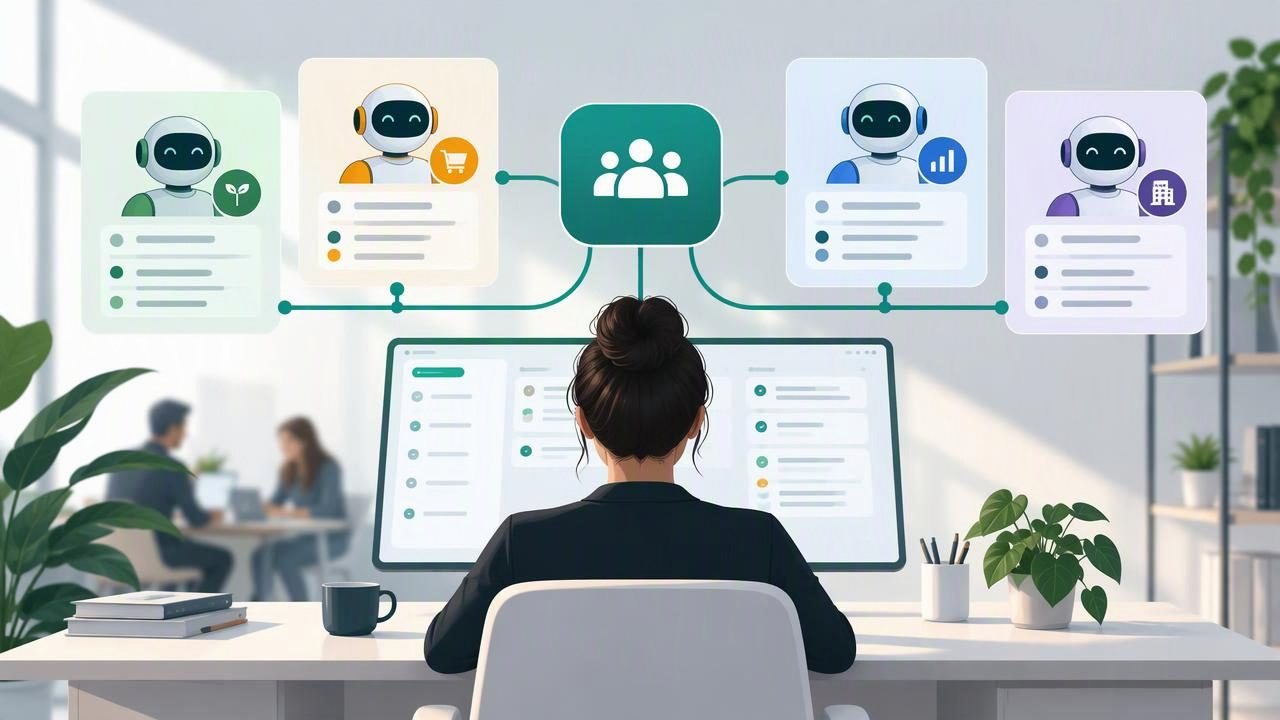
Running one AI agent for one business is relatively simple. The challenge arrives when your agency must manage several client agents at once, each with different services, policies, files, and brand expectations. Without a clear structure, teams can waste time switching accounts, updating the wrong knowledge base, or investigating conversations with incomplete context.
A multi-client AI workspace brings those operations together without blending client information. It gives agency staff a consistent place to configure agents, connect approved models, review WhatsApp conversations, and coordinate human handoffs. This guide explains how to organize that workspace so your team can scale delivery while keeping each client’s data and experience distinct.
What is a multi-client AI workspace?
A multi-client AI workspace is an operating environment where an agency can manage multiple client accounts and their AI agents from one administrative setup. The key is not simply seeing every client in one dashboard. Each client should have a defined boundary around its agents, knowledge, conversations, settings, and user access.
Think of the workspace as a shared control room with separate client work areas. Agency administrators may have permission to oversee several accounts, while a client user or specialist can be restricted to one. The exact access model depends on the platform, but isolation should be intentional and testable—not based on staff remembering which browser tab they opened.
This approach is useful for WhatsApp AI agents that answer common questions, qualify leads, collect details, and pass complex conversations to a human. It also supports agencies that use different OpenAI-compatible models or deployment choices for different clients.
Design the workspace around client boundaries
Before building agents, decide what belongs to each client. At minimum, treat these items as client-specific:
- Agents and channels: The agent’s name, behavior, WhatsApp connection, and enabled capabilities.
- Knowledge: Approved PDFs, FAQs, service descriptions, pricing information, and other source material.
- Conversations: Messages, contact details, lead status, and human handoff history.
- Configuration: Model settings, instructions, escalation rules, and integrations.
- Permissions: Which agency and client users can view, change, or export information.
Use separate client workspaces, projects, or equivalent containers wherever the software supports them. Avoid relying on naming conventions as your only safeguard. A label such as “ACME – Agent 1” may help humans, but it does not prevent an agent from retrieving another client’s documents if the underlying data boundaries are misconfigured.
How to manage several client agents step by step
- Create a client record first. Record the client’s business, primary contact, approved channel, use case, and internal owner. Define what the agent may answer and when it must stop and ask for help.
- Set up a separate knowledge base. Upload only that client’s current, approved documents. Organize files by purpose, add clear titles, and remove outdated or duplicate versions. Do not place several clients’ PDFs in a shared retrieval collection unless the system provides reliable filtering and you have verified it.
- Write client-specific instructions. State the agent’s role, audience, tone, supported topics, limits, and escalation conditions. Avoid copying a prompt wholesale and changing only the business name; details such as refund policies or service areas can remain accidentally inherited.
- Choose a model and test settings. Select an OpenAI-compatible model according to the client’s needs, response quality, latency, and cost. Keep model choice documented so that future changes can be tested rather than made blindly.
- Connect the channel carefully. Link the correct WhatsApp number or provider credentials to the correct client environment. Confirm that inbound messages reach the intended agent and that outbound replies show the expected brand identity.
- Configure human handoff. Define triggers such as a request to speak to a person, an uncertain answer, a complaint, or a high-value lead. Specify where the conversation goes, who is notified, and what context the human receives.
- Run a client-specific acceptance test. Test common questions, unsupported requests, handoff, and data separation before launch. Include prompts that attempt to request another client’s information, and verify that no private material is exposed.
Standardize operations without standardizing every answer
Agencies need repeatable processes, but each client still needs an agent that reflects its own business. Standardize the delivery framework: onboarding forms, security checks, test scripts, naming rules, release notes, and review schedules. Customize the client-facing content: approved knowledge, voice, policies, escalation contacts, and lead qualification questions.
A practical naming pattern can make a large workspace easier to navigate. For example, use a consistent client identifier followed by the agent’s purpose, such as “Northstar – Appointment Intake.” Add the environment or status when useful, such as “Test” or “Live,” but keep names short enough to scan in an inbox.
Maintain a change log for each client. Note when documents, prompts, model settings, or channel connections change, who approved the update, and what tests were run. This record helps staff diagnose unexpected answers and gives clients a clearer view of ongoing service work.
Build permissions and security into daily work
AI agent security is not only a technical configuration. It also depends on everyday access habits. Apply the principle of least privilege: give each person only the access needed for their role. A client employee who reviews conversations may not need permission to edit model credentials, export every record, or view another account.
Use individual staff accounts rather than shared logins where possible. Remove access promptly when team members leave or change responsibilities, and review permissions on a regular schedule. Protect API keys and channel credentials, limit who can view them, and follow the hosting provider’s guidance for secret storage and rotation.
Also decide how long conversation data should be retained and who can export or delete it. The right policy depends on the client’s business and legal obligations, so confirm requirements with the client instead of assuming a single retention period fits every account. Document the process for reporting suspected access mistakes or data exposure.
Make human handoff part of the agent design
A useful WhatsApp agent should know when a person is the better next step. Handoff is not a failure; it is a designed route for sensitive, ambiguous, or commercially important conversations. Keep triggers clear and tell users what will happen next. For instance, the agent might explain that it is bringing in a team member and provide an expected response window if the client has approved one.
Give the human enough context to continue naturally: the customer’s question, details already collected, the agent’s answer, and the reason for escalation. Track whether the conversation was accepted, resolved, or left waiting. This helps an agency identify staffing bottlenecks as well as gaps in the agent’s knowledge.
Measure performance across clients
A shared workspace can make reporting more consistent, but comparisons should account for different goals. One client may care about qualified leads; another may prioritize faster answers or fewer repetitive support requests. Define a small set of measures for each account before launch.
| Measure | What it can reveal |
|---|---|
| Response time | Whether customers receive timely replies. |
| Handoff rate | How often a human needs to take over, and why. |
| Lead completion | Whether the agent collects the agreed qualification details. |
| Unanswered or low-confidence questions | Where the knowledge base or instructions need review. |
| Resolution feedback | Whether customers and client teams consider conversations useful. |
Review conversation samples, not just dashboard totals. A low handoff rate might indicate an efficient agent, or it might mean the agent is failing to escalate. Pair quantitative metrics with client feedback and quality checks.
Common mistakes when scaling to more clients
- Reusing knowledge across accounts: Shared templates are useful; shared private client documents are not. Duplicate and verify approved material within the correct client boundary.
- Launching without realistic tests: Test the messy questions customers actually ask, not only polished examples from a demo.
- Ignoring ongoing ownership: Assign someone to check document freshness, review escalations, and approve meaningful changes.
- Overpromising autonomy: Be explicit about what the agent can and cannot do. Keep human review for decisions that require judgment or client authorization.
- Choosing tools without an exit plan: Understand how to export client information and configurations, and what happens to data if a client leaves or the platform changes.
Choose a setup that fits your agency
When comparing platforms, evaluate both the agency workflow and the deployment model. A managed AI agent cloud can reduce infrastructure work and speed up onboarding. Self-hosted AI software can offer greater control over the environment, but it requires someone to manage updates, backups, monitoring, and security. Open-source tools may also provide more flexibility to inspect or adapt the stack, depending on the license and implementation.
Ask practical questions: Can users be restricted by client? Are conversation and knowledge boundaries clear? Can you connect your preferred OpenAI-compatible models? Is there an audit trail? How does WhatsApp integration work? Can humans take over conversations smoothly? What support is available when an integration or deployment fails?
Finally, consider whether the system helps you deliver ongoing value rather than only launch projects. Knowledge reviews, agent tuning, reporting, and human handoff improvements can become recurring agency services when they are scoped clearly and tied to client outcomes.
Conclusion
To manage several client agents successfully, combine one consistent agency workflow with strong separation between client accounts. Build each agent around approved knowledge, clear permissions, documented instructions, and a tested human handoff. Then monitor real conversations and improve each client setup on its own terms.
The right multi-client AI workspace should make routine work repeatable while keeping client data, branding, and decisions distinct. Agencies evaluating options can compare managed services with self-hosted platforms such as OpenLivery, then choose the model that matches their technical capacity and client requirements.
