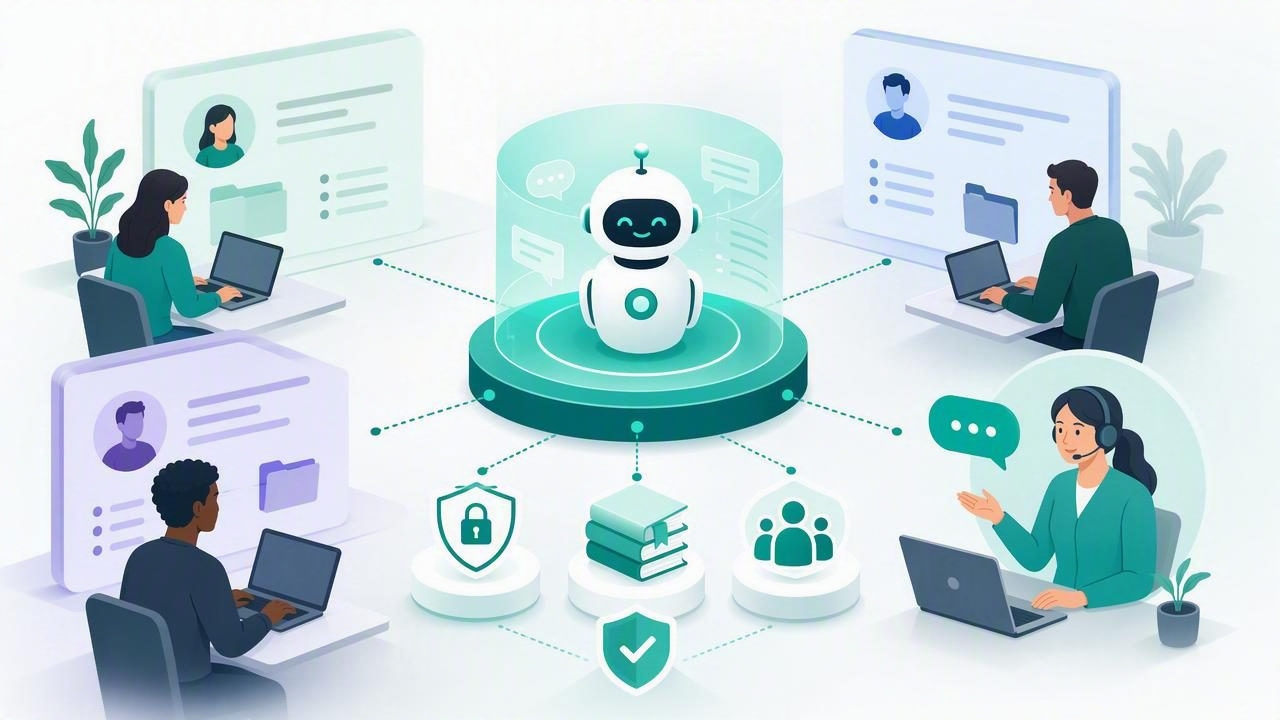
Managing AI agents for one client can feel simple: connect a model, upload a few documents, and begin answering questions. Managing AI agents for several clients is different. It requires a reliable system for separating data, assigning access, monitoring conversations, and ensuring every agent reflects the correct client brand.
These multi-client AI workspace tips for beginners will help agencies, consultants, and automation freelancers create a scalable operating model from the start. Whether you are deploying WhatsApp AI agents, lead qualification assistants, or customer support bots, a well-structured workspace reduces mistakes and makes future growth easier.
The goal is not to build a complex enterprise system on day one. It is to establish simple rules that protect client information while giving your team a repeatable way to launch, improve, and support AI agents.
What Is a Multi-Client AI Workspace?
A multi-client AI workspace is an environment where an agency manages separate AI agents, knowledge sources, conversations, users, and settings for multiple customers. Each client should have a distinct operational space, even when the same internal team oversees all accounts.
For example, a marketing agency may run a WhatsApp lead agent for a real estate company, a support assistant for a dental practice, and an appointment bot for a legal firm. These businesses may use similar technology, but they should not share documents, prompts, leads, or chat histories.
In a strong workspace design, every client has clear boundaries:
- Dedicated agents: Each client receives its own instructions, tone, and workflows.
- Isolated knowledge: Documents and FAQs remain accessible only to the appropriate client agent.
- Separated conversations: Team members can review chats without accidentally seeing another client’s leads.
- Controlled permissions: Users receive the minimum access needed to complete their work.
- Trackable changes: Updates to prompts, sources, and integrations can be reviewed and reversed.
This structure is especially important for agencies that want to offer branded AI services as recurring retainers rather than one-time chatbot projects.
1. Create One Client Workspace Per Brand
The first and most important beginner rule is simple: do not combine multiple clients in one shared AI workspace. It may seem convenient initially, but shared environments create avoidable privacy, security, and operational risks.
Instead, give every customer a separate workspace, project, tenant, or organization. Use a consistent naming convention so your team can find the correct environment quickly.
Client workspace naming example:
client-company-service-region
northstar-realty-leads-austin
bright-smile-dental-support-miami
A clear name is more useful than a creative one. It helps during onboarding, billing reviews, account audits, and support requests.
If a client operates several brands or locations, decide whether each brand needs its own workspace. A separate workspace is usually best when brands have different staff, customer data, policies, phone numbers, or knowledge bases. If locations follow identical policies and share the same support team, they may be handled within a single client workspace using separate agents.
2. Standardize Your Client Onboarding Checklist
Beginners often build every agent from scratch. This leads to inconsistent quality and makes it difficult to delegate work later. A better approach is to create a reusable onboarding checklist that applies to every new account.
Your checklist should gather the information an AI agent needs before it goes live:
- Client business name, services, locations, and operating hours.
- Primary goal: lead capture, FAQ support, booking, qualification, or routing.
- Brand voice, approved language, and prohibited claims.
- Frequently asked questions and approved answers.
- Escalation rules for billing, complaints, emergencies, or sensitive requests.
- Human handoff contacts and response-time expectations.
- Relevant PDFs, web pages, policies, price lists, and service documents.
- Lead fields to collect, such as name, phone number, budget, and preferred date.
Store this information in a standard intake form. The form should be completed and approved by the client before the agent is trained. This reduces the common problem of launching an assistant based on assumptions rather than verified business information.
3. Keep Client Knowledge Bases Clean and Focused
A client knowledge base is the information an agent can use to answer questions. It may include documents, product details, policies, guides, and internal FAQ content. The quality of this content has a major effect on answer quality.
Do not upload every file a client has ever created. Large, outdated document collections can make retrieval less reliable and increase the chance that an agent provides an old answer.
| Good Knowledge Base Content | Content to Review Before Uploading |
|---|---|
| Current services and pricing guides | Expired brochures or old promotions |
| Approved FAQs and policies | Internal drafts with conflicting answers |
| Operating hours and location information | Documents containing unrelated client data |
| Product manuals and booking instructions | Files with passwords, secrets, or private employee data |
Before uploading anything, ask three questions: Is this current? Is this approved? Does the agent need it to perform its assigned task? If the answer is no, leave it out.
It is also helpful to organize documents by topic, such as services, policies, booking, and troubleshooting. Clear source names make it easier for your team to identify which material needs updating when a client changes a policy.
4. Use Roles and Permissions From the Beginning
Access control is not only for large agencies. Even a small team should define who can view chats, edit agent instructions, upload documents, connect integrations, or invite users.
A practical beginner permission model may include these roles:
- Agency administrator: Manages platform settings, client workspaces, integrations, and billing.
- Account manager: Reviews client performance, conversations, and requested changes.
- AI builder: Configures prompts, knowledge bases, workflows, and testing.
- Client manager: Views their own conversations and reports without access to other clients.
- Human responder: Takes over escalated chats but cannot edit agent configuration.
Follow the principle of least privilege: give people only the access required for their responsibilities. A client user should never be able to view another client’s data, and a temporary contractor should not automatically receive administrative access.
5. Write Agent Instructions That Define Boundaries
An AI agent needs more than a friendly introduction. Its instructions should explain its role, what it can answer, what it must not do, and when it must transfer a conversation to a person.
For a WhatsApp AI agent, instructions should be short enough to maintain consistency but detailed enough to prevent risky behavior. Include brand tone, qualification questions, data collection rules, and escalation triggers.
Role: You are the appointment assistant for Bright Smile Dental.

You can: Answer approved service, location, and scheduling questions.
You must: Ask for name and preferred appointment time before creating a lead.
You must not: Provide medical diagnoses, guarantee treatment outcomes, or discuss payment disputes.
Escalate when: A user reports severe pain, requests clinical advice, or asks to speak with staff.
Make instructions client-specific. Reusing a template is efficient, but every final version should reflect the customer’s actual policies and language.
6. Design Human Handoff Before Launching
Human handoff is one of the most important parts of a multi-client AI workspace. An agent should not try to answer every message. It should recognize when a person needs empathy, authority, detailed expertise, or urgent help.
Define both the trigger and the destination for every handoff. For example, a complaint might go to the client’s support manager, while a qualified sales lead goes to a sales inbox or CRM workflow.
A useful handoff process includes:
- A clear message telling the user that a team member will assist them.
- A conversation summary for the human responder.
- Collected lead details and the reason for escalation.
- An internal owner or queue for the conversation.
- A service-level target, such as responding within one business hour.
AI should reduce repetitive work, not create a dead end for customers who need a real person.
7. Test With Realistic Conversations
Before granting a client access or connecting a public WhatsApp number, test the agent with realistic chat scenarios. Do not limit testing to obvious FAQs. Include unclear messages, typos, emotional complaints, pricing objections, unsupported requests, and requests to speak to a human.
Create a test sheet with expected outcomes. This makes quality assurance repeatable across accounts.
| Test Scenario | Expected Result |
|---|---|
| “What are your opening hours?” | Accurate answer sourced from current business information. |
| “I need help now; this is urgent.” | Safe escalation without attempting expert advice. |
| “Can I get a discount?” | Follows approved promotion policy or routes to staff. |
| “Talk to a person.” | Immediate human handoff confirmation. |
Test after every meaningful update to agent instructions, client documents, connected models, or workflows. Small changes can produce unexpected behavior.
8. Monitor the Metrics That Matter
A multi-client AI workspace becomes easier to manage when you use the same reporting framework for every account. Avoid vanity metrics alone, such as total messages. Focus on metrics that connect to client outcomes.
- Conversation volume by client and channel.
- Lead capture rate and qualification completion rate.
- Human handoff rate and average response time after handoff.
- Most common unanswered questions.
- Knowledge base gaps and repeated incorrect answers.
- Booked appointments, resolved requests, or other agreed conversion events.
Review these metrics weekly during the first month and monthly after the agent is stable. A recurring review process creates opportunities to improve prompts, update documents, and demonstrate the ongoing value of AI management.
9. Avoid Common Multi-Client Workspace Mistakes
New agencies often encounter the same problems while scaling. Knowing them early can save time and protect client trust.
- Mixing documents across accounts: Use dedicated storage and verify uploads before publishing.
- Giving everyone admin access: Restrict sensitive settings and review access regularly.
- Launching without handoff rules: Prepare escalation paths before customers start messaging.
- Using one generic prompt for all clients: Customize policies, tone, goals, and qualification logic.
- Ignoring conversation reviews: Real chats reveal gaps that dashboards cannot always show.
- Making undocumented changes: Keep a short change log for prompts, sources, and integrations.
A Simple Operating Framework for Beginners
If you are just starting, use this repeatable sequence for every client:
- Create an isolated client workspace.
- Collect and approve onboarding information.
- Upload only current, relevant knowledge sources.
- Configure permissions for agency staff and client users.
- Write client-specific instructions and escalation rules.
- Test realistic conversations and document results.
- Launch with active conversation monitoring.
- Review performance, refine, and report outcomes.
Consistency is the real advantage. When each client follows the same framework, your agency can onboard faster, reduce errors, and build a more dependable recurring service.
Final Thoughts
The best multi-client AI workspace is not necessarily the one with the most features. It is the one that makes client separation, secure permissions, useful knowledge, human handoff, and ongoing improvement easy to manage.
Start with clear workspace boundaries and documented processes, then add sophistication as your client base grows. Platforms such as OpenLivery can support this model by combining isolated client agents, knowledge bases, conversations, and human handoff workflows in one agency-oriented environment.
