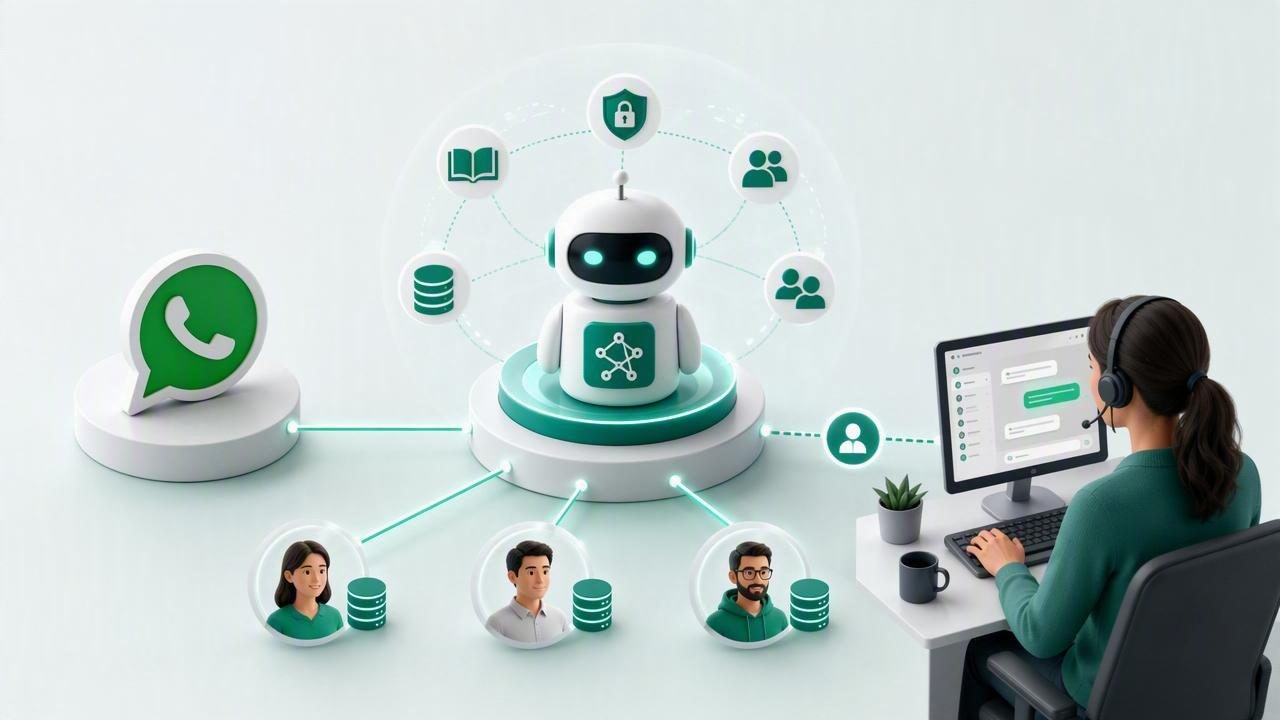
WhatsApp has become one of the most valuable communication channels for service businesses, local brands, lead-generation campaigns, and customer support teams. For agencies, that creates a major opportunity: deploy AI agents that can answer questions, qualify leads, capture contact details, and route complex conversations to humans.
However, building one useful chatbot is very different from operating dozens of reliable agents for separate clients. A practical open source AI agent platform guide for WhatsApp agencies must address the operational realities behind multi-client delivery: data separation, brand customization, knowledge management, permissions, model selection, conversation monitoring, and human handoff.
This guide explains what agencies should look for when selecting or building an open-source WhatsApp AI agent stack, how the core components work together, and how to create a repeatable service that can scale without sacrificing client control.
What Is an Open-Source AI Agent Platform?
An open-source AI agent platform is software that helps teams configure, deploy, and manage AI-powered conversational assistants while retaining visibility into the underlying system. Unlike a closed chatbot tool, open-source software can typically be self-hosted, audited, extended, and integrated with a company’s preferred infrastructure.
For WhatsApp agencies, the platform should do more than generate AI responses. It should provide an operating layer for multiple client accounts, each with its own agent instructions, brand voice, knowledge base, conversation history, users, and access permissions.
A capable platform usually connects these building blocks:
- WhatsApp messaging integration for inbound and outbound conversation flows.
- Large language model connectivity through OpenAI-compatible APIs or self-hosted models.
- Client knowledge bases built from PDFs, web pages, FAQs, product documents, and internal resources.
- Workflow logic for qualification, data capture, routing, and follow-up.
- Human handoff tools for agents, sales representatives, or support teams.
- Multi-client security controls that prevent one client’s data from appearing in another client’s workspace.
The open-source approach is especially relevant when agencies need flexibility. They may need to connect a client’s preferred model provider, deploy inside a private cloud, use a custom CRM integration, or meet regional data-handling requirements.
Why WhatsApp Agencies Need Multi-Client Architecture
Agency operations become difficult when every client deployment is handled as a separate, manually maintained project. Teams may end up with scattered API keys, duplicated prompts, inconsistent reporting, and unclear ownership of customer conversations. This approach limits margins and makes onboarding slower over time.
A multi-client architecture solves this by organizing workspaces around isolated tenants. A tenant is a separate environment for one client, with boundaries around its data and configuration. Agency administrators may retain top-level access, while client users see only their own agent, documents, inbox, and analytics.
| Capability | Single-Client Chatbot Setup | Multi-Client AI Agent Platform |
|---|---|---|
| Knowledge base | Often shared or manually duplicated | Separated by client workspace |
| User access | Broad, informal permissions | Role-based agency and client access |
| Deployment | Custom work per client | Reusable templates and onboarding flows |
| Maintenance | Many disconnected systems | Centralized monitoring and updates |
Client isolation is not merely a convenience feature. It is a foundation for trust. A legal firm, medical practice, real estate team, or financial adviser should never risk having another client’s documents, prompt instructions, or conversation records exposed in a response.
Core Components of a WhatsApp AI Agent Stack
1. WhatsApp Channel Connection
The WhatsApp layer receives messages and passes them to the agent orchestration system. The platform should reliably preserve useful context, including the contact identity, conversation status, message timestamps, language, assigned human owner, and relevant opt-in information.
Agencies should define clear business messaging policies before launch. Transactional support, inbound sales conversations, appointment reminders, and approved outbound templates may all have different rules. AI can improve responsiveness, but it does not replace the need for compliant customer communication practices.
2. Agent Instructions and Brand Voice
Each client needs instructions that define what the agent can do, what it must avoid, and how it should communicate. Strong instructions are specific. Instead of saying, “Be helpful,” define the desired behavior:
You are the WhatsApp assistant for a residential solar provider.
Ask one question at a time. Qualify homeowners by location,
property type, approximate energy bill, and installation timeline.
Do not estimate savings unless the knowledge base provides the answer.
Offer a human consultation when the customer requests pricing.
Instructions should also cover escalation rules, prohibited claims, supported languages, opening hours, tone, and required lead fields. Agencies can use reusable templates, but every client should receive a tailored review before activation.
3. OpenAI-Compatible Model Access
OpenAI-compatible model support lets an agency connect different AI providers without rebuilding its application layer. This helps teams evaluate cost, latency, language performance, and privacy requirements for each use case. Some clients may value premium reasoning quality, while others need a lower-cost model for high-volume FAQ automation.
Model flexibility should not mean uncontrolled model usage. Create approved defaults, monitor token consumption, set spending limits, and test model changes against real conversation scenarios before applying them across client accounts.
Building a Client Knowledge Base That Produces Reliable Answers
A knowledge base gives an AI agent grounded information about a client’s services, policies, products, locations, prices, and procedures. Without grounding, an AI agent may produce plausible but incorrect answers. This is particularly risky when conversations involve eligibility, regulated services, availability, or pricing.
Effective knowledge base preparation starts before documents are uploaded. Agencies should remove outdated content, resolve conflicting policy statements, and organize files by topic. A 100-page brochure may be useful, but a concise, maintained FAQ document often produces better customer-facing answers.
Use a structured content process:
- Collect approved source materials from the client.
- Label each document by audience, service, location, and effective date.
- Remove duplicate or obsolete information.
- Upload content into the client’s isolated workspace.
- Test high-value questions, edge cases, and ambiguous requests.
- Review unanswered questions regularly and improve the source material.
Practical rule: if an answer could create a commercial, legal, safety, or medical commitment, the agent should cite approved information or hand the conversation to a person.
Designing Lead Qualification and Human Handoff
The best WhatsApp AI agents do not try to automate every conversation. Their purpose is often to reduce response time, collect essential context, and deliver qualified opportunities to the right person. Human handoff is therefore a core part of the design, not a fallback added after launch.
For example, an agency serving a property client could configure the agent to identify the desired area, budget, number of bedrooms, financing status, and timeframe. Once the lead meets the client’s qualification threshold, the system can notify the assigned adviser with a compact summary.
A useful handoff should include:
- The contact’s name and WhatsApp number.
- A concise AI-generated conversation summary.
- Captured qualification fields and lead score.
- The original conversation transcript.
- The reason for escalation and recommended next action.
Set clear triggers for escalation. Examples include direct requests for a person, negative sentiment, high-intent buying signals, unsupported questions, complaints, payment disputes, and sensitive personal matters. Once a human takes over, the AI should not continue sending messages unless the workflow explicitly allows it.
Security, Permissions, and Client Data Separation
Security is one of the most important considerations for an agency AI platform. A strong system should isolate not only uploaded documents but also message history, prompts, embeddings, API credentials, user roles, and reporting data. A filter applied only at the interface level is not enough; separation should be enforced in the application and database design.
At a minimum, agencies should evaluate the following controls:
- Role-based access control: define permissions for agency owners, operators, client administrators, and client team members.
- Tenant-aware data queries: ensure every request is restricted to the authenticated client workspace.
- Credential management: store model, messaging, and CRM keys securely rather than in prompts or shared spreadsheets.
- Auditability: log configuration changes, document uploads, user actions, and handoff events.
- Retention policies: establish how long transcripts and lead data are kept and who can delete them.
Self-hosted AI software can offer more control over infrastructure and data residency, while a managed cloud option can reduce operational workload. The right choice depends on technical capacity, client obligations, budget, and the level of customization required.
A Repeatable Implementation Plan for Agencies
To turn WhatsApp AI agents into a scalable service, standardize the delivery process. Start with a focused use case, such as FAQ handling, lead intake, appointment qualification, or after-hours routing. Trying to automate every business process in the first release usually creates unnecessary complexity.
- Define success metrics: measure response time, qualification rate, human handoff rate, booked appointments, and unresolved questions.
- Create an onboarding checklist: collect brand guidance, approved knowledge sources, escalation contacts, business hours, and compliance requirements.
- Configure the isolated client workspace: add users, permissions, agent instructions, model settings, and WhatsApp connection details.
- Test before launch: run scripted conversations covering normal questions, missing information, unsafe requests, and human escalation.
- Launch with observation: review real transcripts daily during the initial period and tune the knowledge base and prompts.
- Report business outcomes: show clients the operational value of faster replies and better-qualified conversations, not only message volume.
This repeatable framework helps agencies build recurring revenue around agent setup, knowledge base maintenance, optimization, monitoring, and support.
Choosing the Right Platform Approach
When comparing options, prioritize operational fit over feature checklists. Ask whether the platform supports true client isolation, whether humans can take over easily, whether model providers can be changed, and whether your team can maintain the infrastructure. Also consider how quickly a new client can move from discovery to a tested WhatsApp deployment.
For agencies seeking an open-source foundation with multi-client workspaces, OpenAI-compatible models, knowledge bases, and WhatsApp-focused agent operations, OpenLivery is one option to evaluate alongside your internal technical, security, and delivery requirements.
